
Before you begin
What you’ll need
- Membership options visible in the workspace
- Permission to manage memberships
- A recent secure identity check for changes
01
Configure a membership option
A membership option defines what will happen when staff add a new paid or complimentary membership. Existing membership periods keep their recorded history when the option later changes.
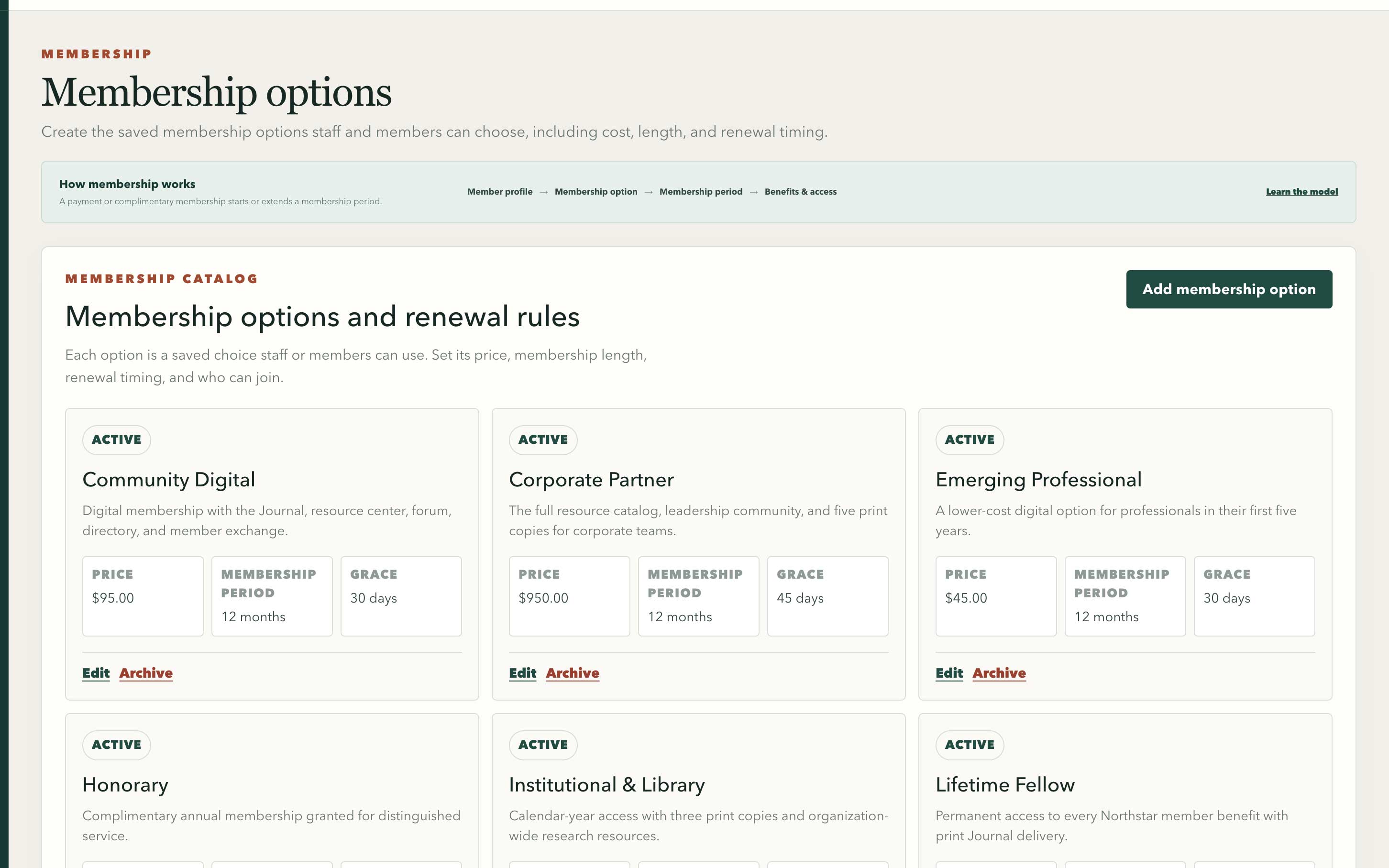
Saved option cards keep price, membership period, and grace timing visible together.
Swipe or use arrow keys to inspect the full view- Open Membership options and set a clear name, price, currency, length, and anniversary or calendar renewal timing.
- MembershipPortal creates the link and import name automatically. Change it only when an existing web link or spreadsheet already depends on another lowercase name.
- Set the grace period, renewal behavior, print quantity, tax-deductible amount, and admission requirements.
- Open Benefits & access to choose the publications, forums, directories, recordings, and tools the membership option includes.
- Use separate membership options when the price, delivery obligation, eligibility, or included access materially differs.
- Archive membership options that should no longer be offered rather than rewriting past membership periods.
02
Add a membership period
A membership period records the exact interval a member is eligible. Paid and complimentary memberships use different financial histories but can provide the same benefits and access.
- Open Members, select the correct member, and choose Record payment or membership.
- Choose Record a payment or Give complimentary membership, then select the membership option.
- Confirm the start and end dates. For a lifetime option, confirm that no finite end date is expected.
- For a paid membership, record the amount, method, date, reference, and notes. For a complimentary membership, record why no payment is required.
- Review the payment and membership together, then confirm once.
03
Understand lifecycle status
Status comes from membership periods, dates, grace policy, payment outcomes, and explicit administrator actions. It is not a freely editable active switch.
- Active means a current membership period provides eligibility.
- Grace period means the configured post-expiration window still applies.
- Past due or lapsed means payment or membership coverage no longer supports normal eligibility.
- Suspended, canceled, deceased, and archived reflect explicit lifecycle outcomes and may remove access.
04
Correct the record safely
Do not silently rewrite financial or membership history after it has affected access, receipts, or external systems.
- Use a payment adjustment or reversal for an incorrect financial entry.
- Use cancellation or the applicable lifecycle command to end a membership relationship.
- Review Benefits & access after any correction and check Connected services when an external update is required.