Before you begin
What you’ll need
- A usable verified email for account access
- An existing member profile
- A supported modern browser
Set up access to an existing membership
A secure setup email proves control of an address and asks the member to confirm the specific organization membership before linking it.
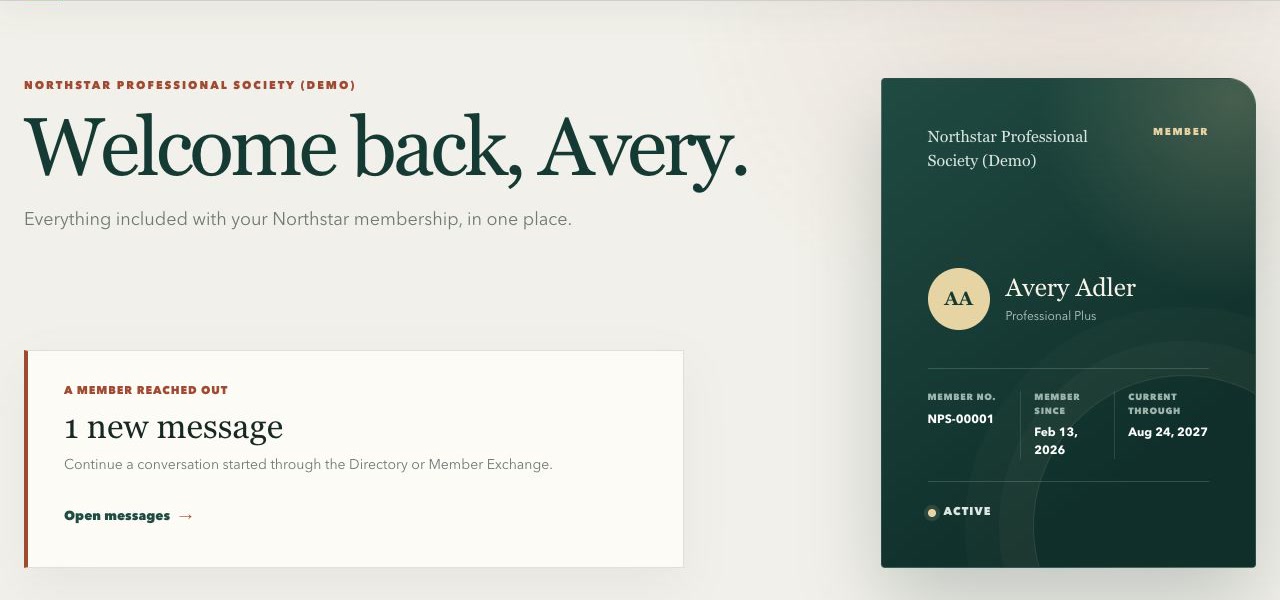
The member home confirms the linked organization membership and puts the digital member card and next actions first.
Swipe or use arrow keys to inspect the full view- Open the secure setup email sent by the organization.
- Sign in or create the invited account using the same verified email.
- Review the organization and membership that matched the invitation.
- Confirm the link. If more than one membership matches, review each one separately.
- Open the member portal and verify the displayed membership period and included benefits or access.
Maintain profile and delivery preferences
Members can review the organization-specific information used for contact and fulfillment, subject to organization policy.
- Keep email, phone, and mailing address current.
- Choose digital, print, or combined delivery when the membership option permits it.
- Review directory privacy and communication choices where enabled.
- Submit a support or correction request when a protected field cannot be changed directly.
Find people in the member directory
The directory includes only eligible members who have chosen to appear. Search and profile details respect each member's sharing choices.
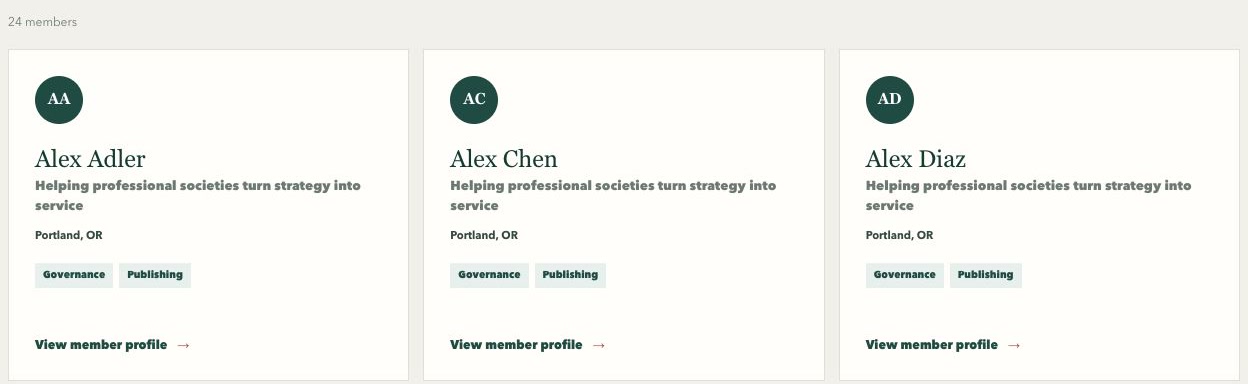
Members can search opted-in profiles by person, role, organization, expertise, or interest without exposing hidden contact details.
Swipe or use arrow keys to inspect the full view- Choose Directory to search opted-in members by name, role, organization, expertise, or interest.
- Use topic filters to narrow a broad result without exposing members who chose not to appear.
- Open a member card to review only the profile and contact details that person chose to share.
- Send a protected contact request when direct contact details are hidden. The member decides whether to continue the conversation.
- Update directory visibility and shared contact choices from profile preferences when organization policy permits it.
Use the Member Exchange
Eligible members can share wanted and for-sale notices inside the private member community without publishing personal contact details on the listing.
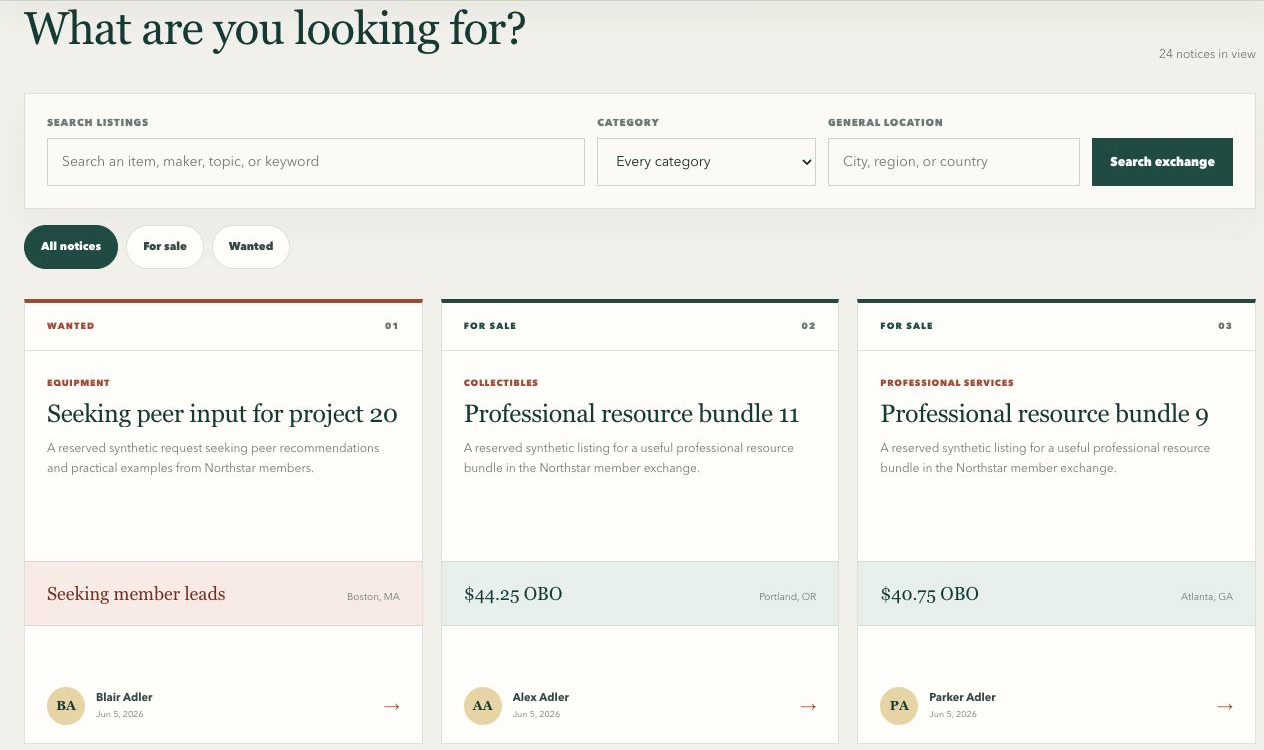
A private exchange lets eligible members browse wanted and for-sale notices while protected contact requests stay in the portal.
Swipe or use arrow keys to inspect the full view- Choose Member Exchange and search active notices by title, description, category, member, or location.
- Use Wanted and For sale filters to focus the list, then open a notice for its full details.
- Send an inquiry through the protected contact flow instead of posting personal contact details in a notice.
- Create and edit your notices, mark an item sold or found, withdraw it, or renew it from the exchange workspace.
- Directory and Member Exchange access pause when the membership no longer meets the organization's eligibility rules.
Renew and find receipts
The portal shows the current membership period, paid-through date, available renewal path, and receipt history.
- Review the current membership option, status, and paid-through date.
- Choose an available renewal and complete card payment on the hosted checkout page.
- Return to the portal and allow confirmed payment processing to complete.
- Refresh the membership if needed, then confirm the new membership period and receipt.
- Contact the organization with the checkout or receipt reference if the result remains pending.
Open publications and connected resources
Available resources reflect current membership eligibility and organization rules.
- Open protected issues from the member portal so the system can authorize a short-lived file link.
- Launch connected forums and resource centers through the provided member link.
- If access is missing, give support the organization, resource name, member number, and approximate time of the attempt. Never share a password or sign-in code.