
Before you begin
What you’ll need
- Benefits & access and Connected services visible in the workspace
- Permission to manage benefit choices or connected services
- An approved connected service
- A recent secure identity check for changes
Understand an access decision
A member's access comes from the current membership period, its membership option, any documented one-member override, and the requested benefit.
- A current membership period may include a publication, forum group, directory, recording, or research tool through its membership option.
- The grace-period policy may temporarily preserve included access after a membership period ends.
- An authorized one-member override can include or explicitly block access when policy requires it.
- Archived, canceled, suspended, or otherwise ineligible memberships can remove connected access.
Choose what each membership option includes
Benefits & access shows one card for each benefit. Inside the card, every membership option has its own row and access choice, so the full relationship is visible without opening technical rule details.
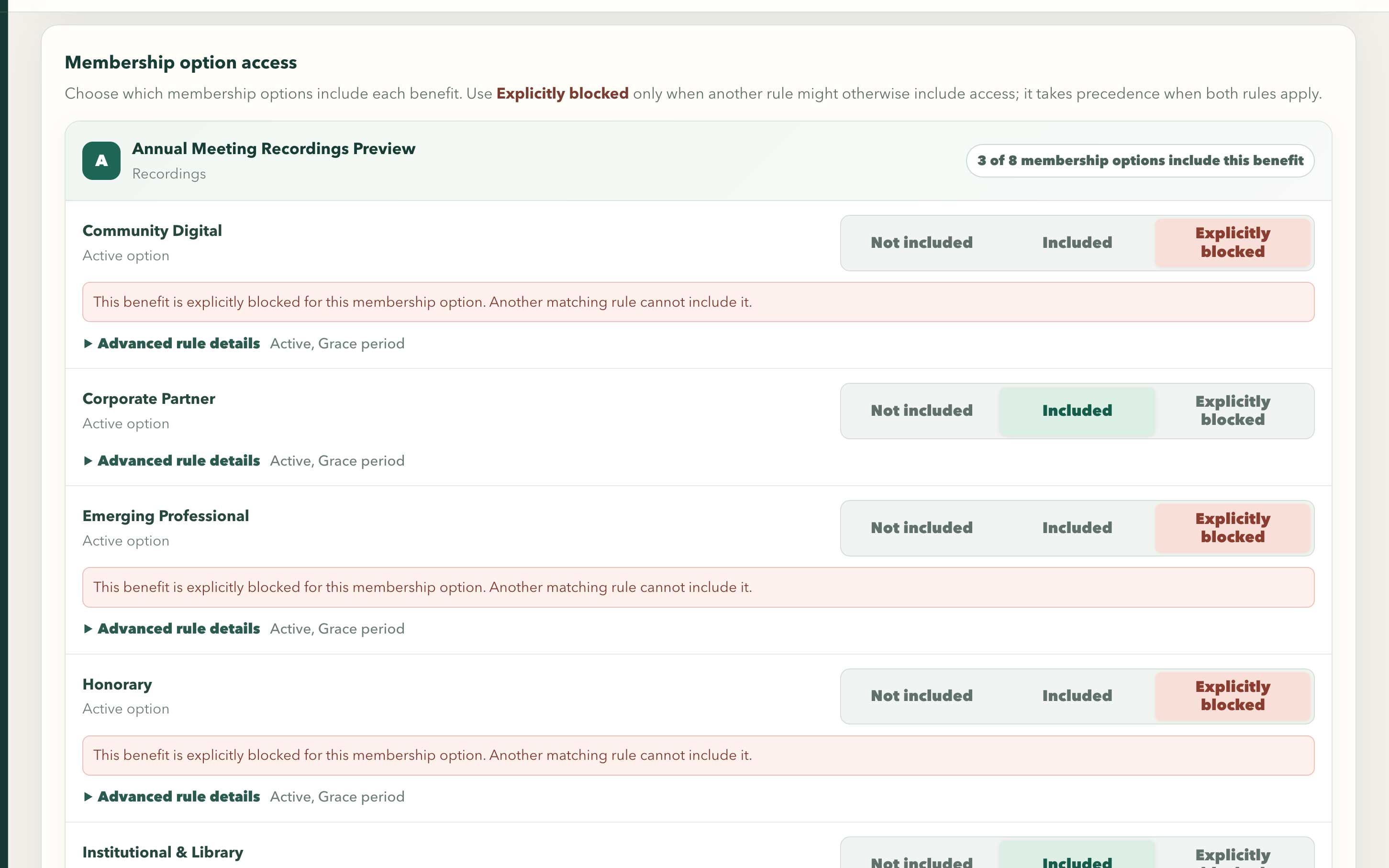
Membership-option rows make included, not included, and explicitly blocked access choices visible before saving.
Swipe or use arrow keys to inspect the full view- Open Benefits & access and find the benefit's card, such as a forum, directory, recording, or research tool.
- Review the card summary to see how many membership options include the benefit.
- In each membership-option row, choose Not included when the option should not provide the benefit or Included when it should.
- Use Explicitly blocked only when another rule might otherwise include the benefit and organization policy requires the block to win.
- Open Advanced rule details when current access depends on member status, effective dates, or priority. Open Previous rule details to review inactive rules kept for history.
- Select Save access changes, then use Explain member access to verify a representative member before changing a connected service.
Explain member access
Use Explain member access before changing data. It shows why each benefit is included or blocked for the selected member.
- Open Benefits & access and select the member.
- Review the current membership period, matching membership option, one-member overrides, and final result for each benefit.
- Correct the member profile, membership period, included benefit, or one-member override when an input is wrong.
- Refresh the explanation and confirm the new result.
- Open Connected services when the result changed but an external service did not update.
Operate a connected service
Connected services receive organization-specific access changes. They do not decide whether a member is eligible.
- Use signed, short-lived launches for member access to connected applications.
- Map organization benefits to the correct groups or identifiers in the external service.
- Keep credentials server-side and rotate them through the approved secret process.
- Open Connected services to find and repair differences between MembershipPortal and the external service.
Use APIs and outbound events safely
Organization APIs and outbound events are limited, versioned tools for trusted systems. They are not substitutes for an administrator account.
- Open Security & API to create a connected-system key with only the access that system needs.
- Keep credentials out of browser code, shared documents, and URLs.
- Verify outbound-event signatures and make repeated delivery of the same event safe.
- Treat retries as normal and preserve delivery identifiers for support.
- Open Automation issues and retry failed work only after the connected-service problem is understood.