Before you begin
What you’ll need
- A signed-in account for private actions
- Organization permission for administrative data
- A secure identity check for privileged administration
Protect administrator accounts
Administrator access is separate from membership and should match each person's job responsibility.
- Use an individual administrator account; never share passwords, secure sign-in links, or authenticator codes.
- Connect an authenticator app and complete the secure identity check when prompted for privileged work.
- Open Team & roles and choose the smallest role that supports the person's responsibilities. Remove access promptly when duties change.
- Review unexpected access or security notifications through a trusted organization contact.
Handle sensitive member data
Contact details, internal notes, financial records, mailing exports, and integration credentials require different permissions and handling rules.
- Collect only information needed for membership operations.
- Avoid putting secrets, payment-card data, authentication codes, or unnecessary sensitive details in member notes.
- Download member or mailing data only for an approved task and remove working copies according to organization policy.
- Do not send sensitive exports through personal email or unapproved file-sharing services.
Review change history safely
Authorized administrators can search organization change history to understand what happened without turning the audit view into a copy of private member data.
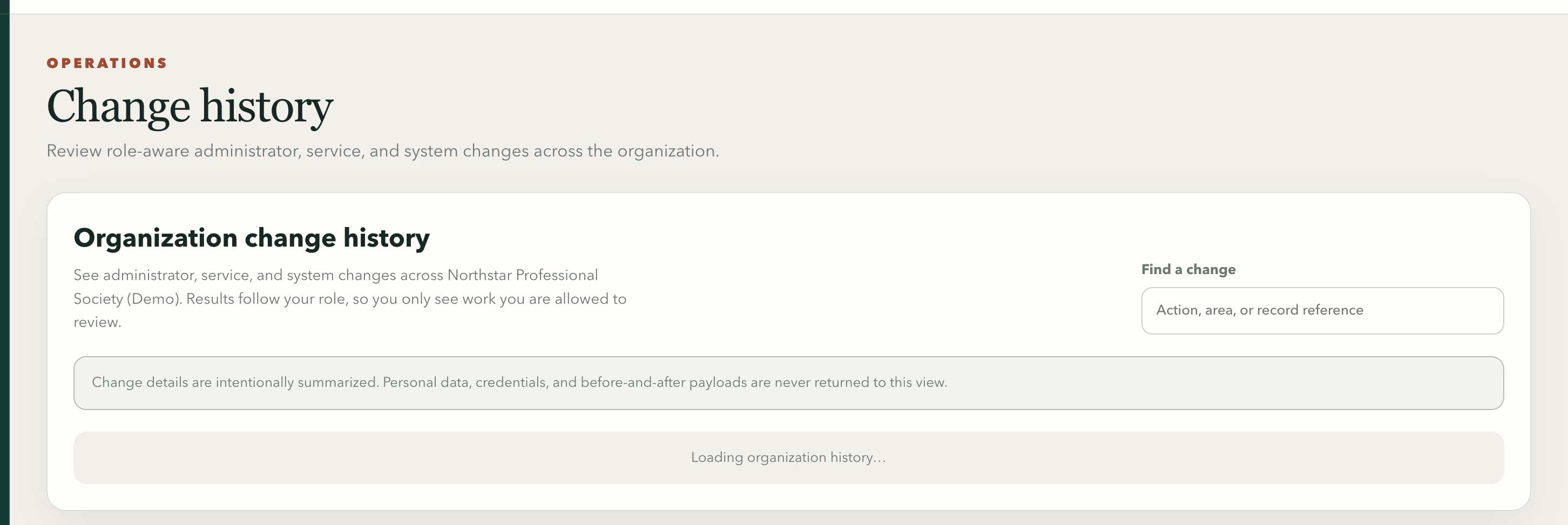
The role-aware history search explains that credentials, personal data, and before-and-after payloads stay outside this view.
Swipe or use arrow keys to inspect the full view- Open Change history and search by action, area, actor, record reference, or safe summary.
- Use the timestamp, source, action, and record reference to move back to the authorized workflow that produced the event.
- Expect safe summaries rather than personal before-and-after values, credentials, tokens, or secret payloads.
- A missing event may mean the current role cannot audit that area. Ask an organization owner to review role access instead of broadening permissions informally.
Respond to a privacy request
Use the organization's verified process for access, correction, data-copy, retention, or deletion requests.
- Verify the requester's identity without asking for passwords or one-time codes.
- Record the request and the records it covers through the approved support or privacy workflow.
- Review legal, financial, audit, publication, and membership records that may require retention.
- Open the member's Portal & privacy tab for individual requests. Use Profile & policies, Privacy & retention for organization-wide defaults and retention periods.
- Correct inaccurate member-profile data through the normal edit workflow and preserve required historical records.
- Document completion and communicate the result through the verified contact channel.
Report a security concern
If you suspect unauthorized access, a leaked export, a fraudulent payment, or an account compromise, stop the affected workflow and contact the organization through its trusted support channel.
- Include the organization, approximate time, affected feature, and what you observed.
- Do not include passwords, full payment-card details, secret keys, or authenticator codes.
- Preserve relevant reference IDs and avoid repeatedly retrying a suspicious action.