
Every kind of member
Support individuals, households, libraries, institutions, and members with no email or login, including administrators who are not members.
Membership records
Keep people, households, institutions, membership options, membership periods, and accounts accurate without flattening every member into the same shape.
Preparing for a limited pilot. Production use follows an organization-specific migration, rehearsal, configuration, and approval.
The governing idea
A person, member record, membership, membership period, and login remain connected but distinct, so a shared email, new address, or account change does not erase identity or history.
Northstar in practice
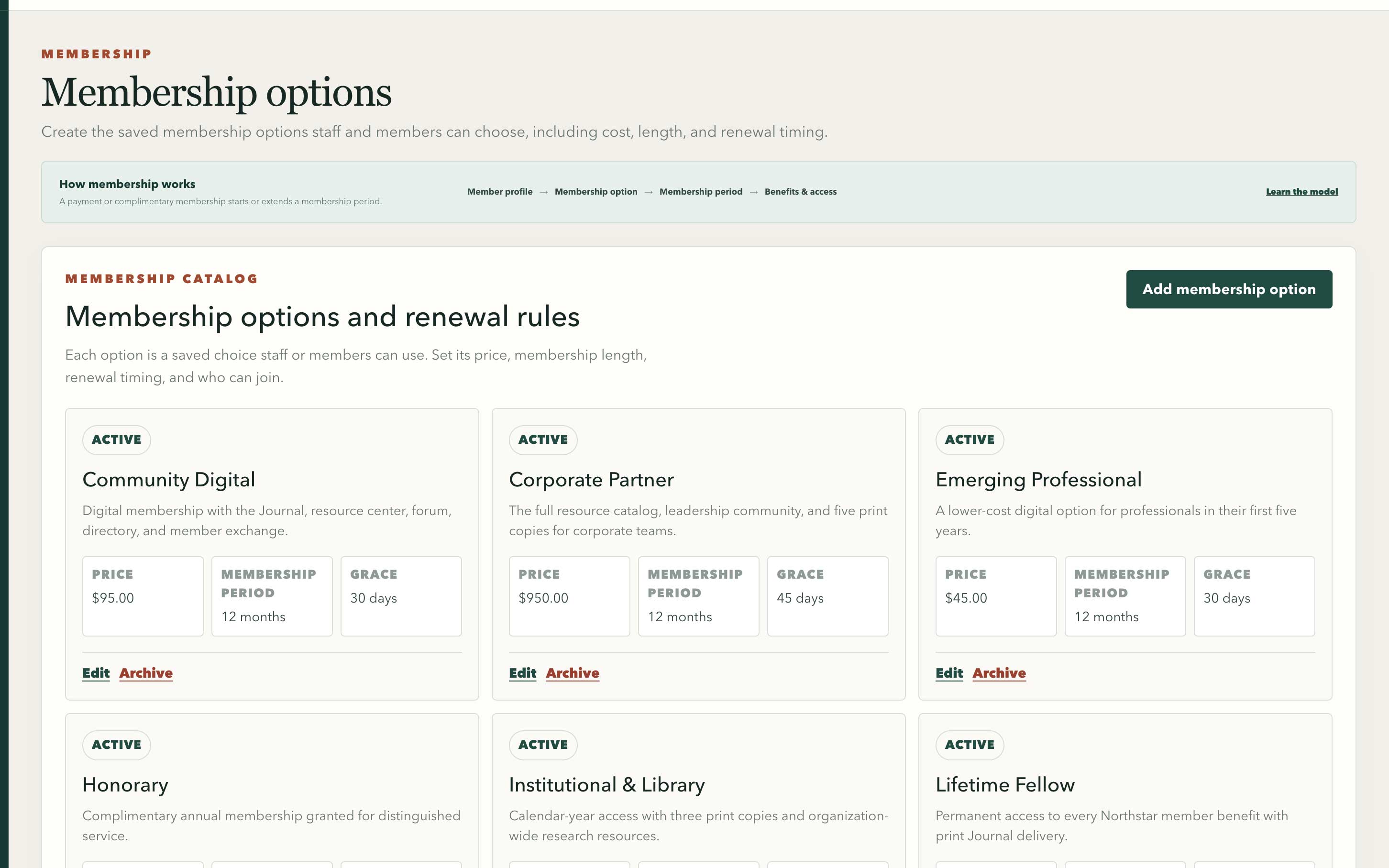
Saved option cards keep price, membership period, and grace timing visible together.
Swipe or use arrow keys to inspect the full viewRecords that match reality
01Model the relationship clearly enough to support today’s work without losing the history the organization depends on.
Support individuals, households, libraries, institutions, and members with no email or login, including administrators who are not members.
Define price, duration, renewal basis, grace period, delivery, and included resources, then derive current status from the actual membership period instead of an editable flag.
Link verified accounts without merging them into member records, preserving shared household email, multiple organization memberships, and identity through email changes.
A controlled move
02Review source data and exceptions before the new system becomes the place staff rely on.
Map and normalize fields, preserve member numbers and source IDs, review address and email quality, and preview changes before writing records.
Surface likely duplicates, shared emails, household relationships, institutions, paid-through history, and delivery conflicts for human review.
Keep row-level outcomes, reconcile counts, isolate errors, and provide clear correction or rollback paths if an import needs another pass.
Daily service
03Staff and members work from the same relationship record while permissions protect sensitive details and actions.
Search, filter, review, and update records; manage membership options and membership periods; and see the membership activity behind a member’s current status.
Let members use the mobile app or responsive portal to review status, paid-through date, receipts, contact details, delivery preferences, directory privacy, and support requests.
Use expiring claim invitations, explicit household or authorized-contact access, and governed export, correction, consent, and deletion requests.
Direct answers
Each answer links to the practical product guidance behind it.
Yes. MembershipPortal supports individuals, households, libraries, institutions, and other real member relationships without forcing every record into an individual login account. Read about member types
Yes. Shared email addresses are treated as evidence for review, not as proof that records should be merged. The import workflow preserves separate people and relationships when that is the correct result. See duplicate review
Yes. Reviewed migration can preserve stable member identifiers and historical membership facts, with previews, row-level results, reconciliation, and correction paths before the new records become operational. Read about import verification