
Before you begin
What you’ll need
- Payments visible in the workspace
- Permission for the intended financial action
- An active membership option for membership dues
01
Choose the correct payment path
MembershipPortal keeps the organization-facing payment history. Stripe remains responsible for card processing, payment methods, balances, payouts, refunds, and disputes.
- Use Stripe-hosted Checkout for card payments; card details never pass through MembershipPortal.
- Record checks, cash, bank transfers, and external payments with their actual date, amount, method, and reference.
- Use Give complimentary membership when no money was received instead of creating a zero-value payment.
- Use recurring dues only for membership options and accounts that meet the organization's recurring-payment policy.
02
Record an offline payment
Record the payment and resulting membership period together so the amount, eligibility, receipt, and administrator history agree.
- Open Members, choose the correct member profile, and select Record payment or membership.
- Choose Record a payment, select the membership option, and confirm the membership-period dates.
- Enter the amount, payment method, received date, check or external reference, and useful notes.
- Review the payment and membership together, then confirm once.
- Open the member's Payments tab and confirm the payment, membership period, paid-through date, and receipt history.
03
Handle refunds and disputes
A refund or dispute is a new financial event. The organization's policy decides whether the related membership period stays unchanged, is shortened, is paused, or ends.
- Review the original payment and related membership period before taking action.
- Start card refunds and disputes in Stripe rather than editing the original MembershipPortal payment.
- Review the configured outcome under Profile & policies, Membership rules.
- After Stripe reports the result, confirm the member's membership period, Payments history, and Benefits & access.
04
Find receipts and resolve payment issues
Receipt history follows confirmed payment records. The Payments area shows Stripe activity that did not produce the expected MembershipPortal result.
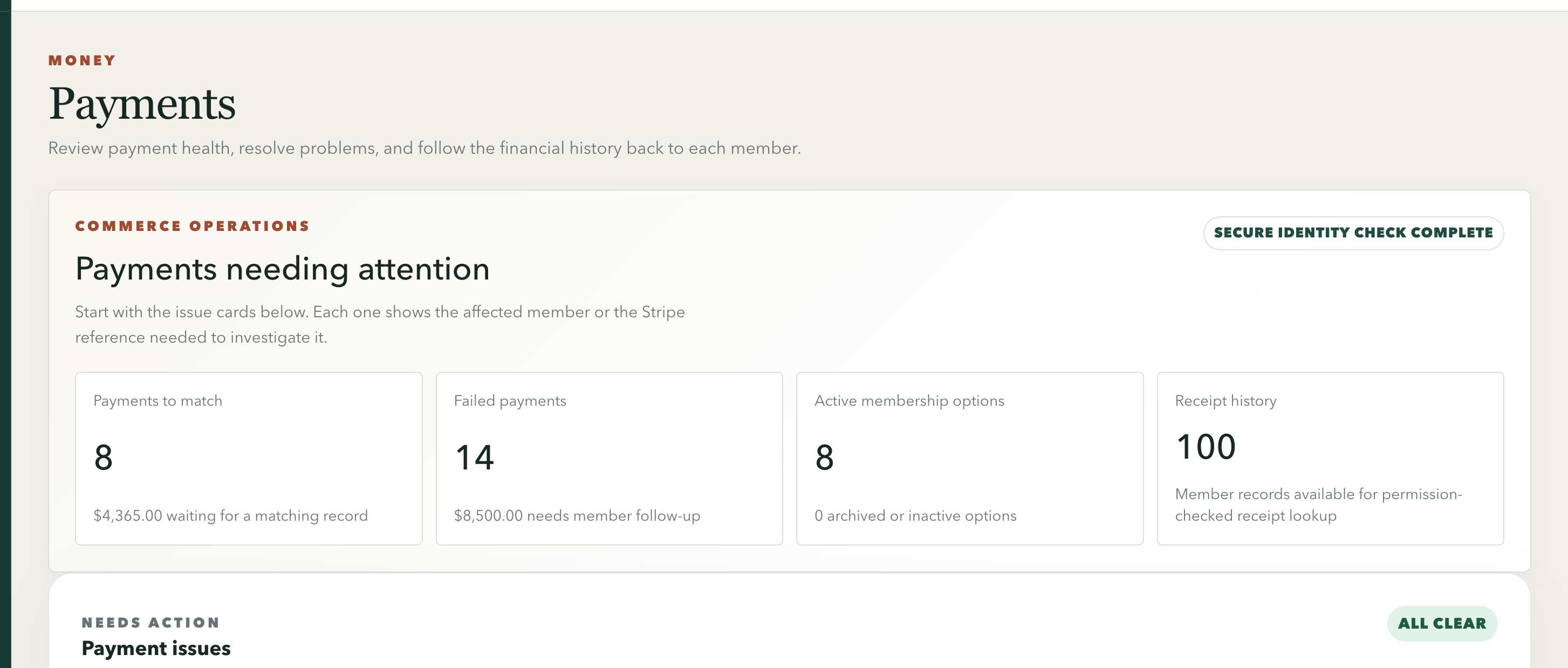
The finance overview separates recorded payments, available receipts, and exceptions that need review.
Swipe or use arrow keys to inspect the full view- Confirm the payer, amount, currency, date, method, and reference.
- Open the member's Payments tab and review the receipt before sharing it.
- Open Payments and investigate each payment issue. Resolve the cause and record what changed.
- Use Try payment again only when the cause is understood, then verify the final payment, membership period, and included benefits or access.
- Use Automation issues when related background work still needs a manual retry.